 Swanflask

Which lab is free? Is my practical ready? Where is that chemical?
Swanflask is a lab manager for secondary school science departments. One lab calendar, one preparation list and one stock list, so fewer things get lost in inboxes, notebooks and memory.
It is in an early pilot, starting with a demonstration school. Founding places are open for 5 schools and 25 teachers.
Apply for a founding school place Apply for a founding teacher place
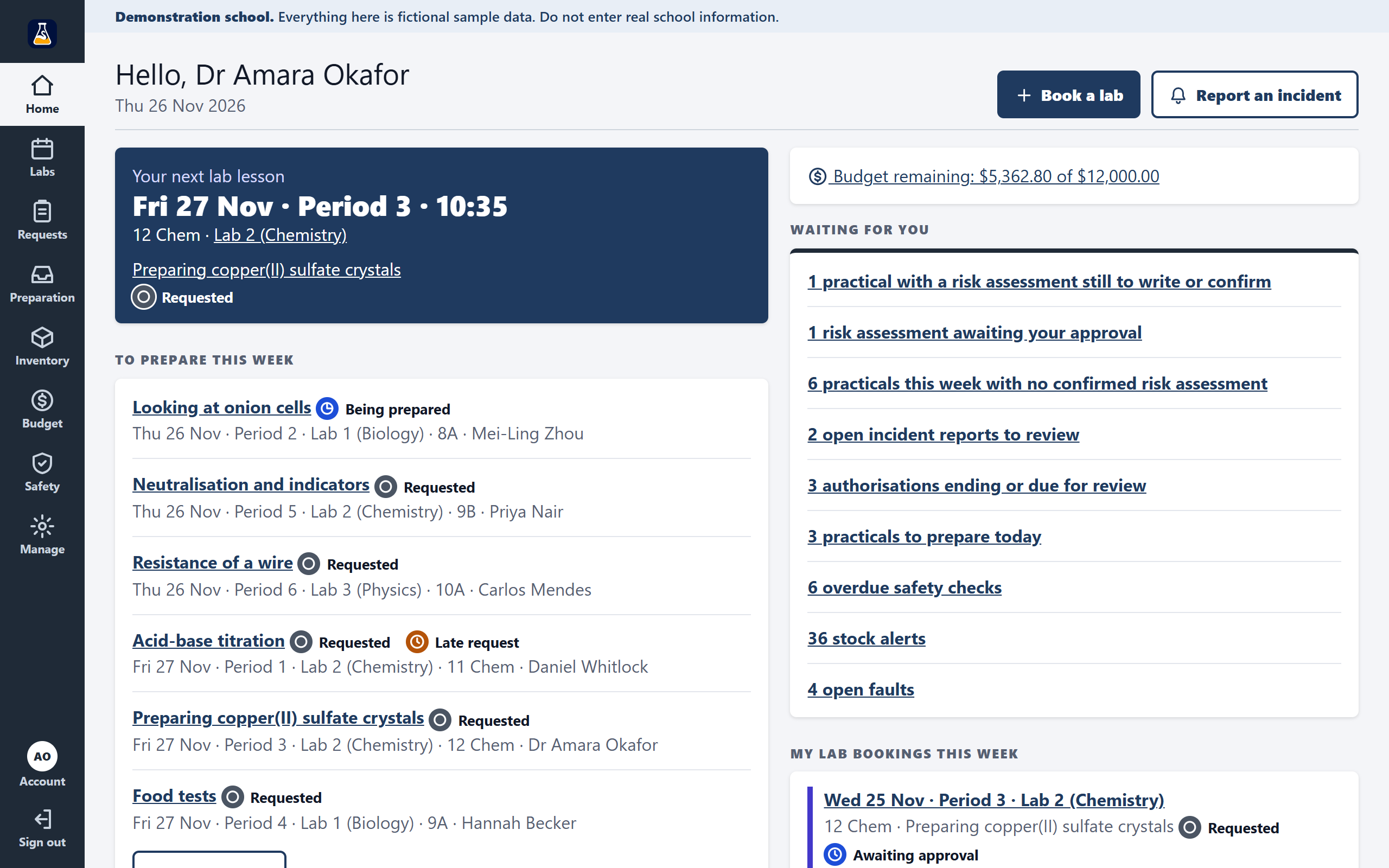
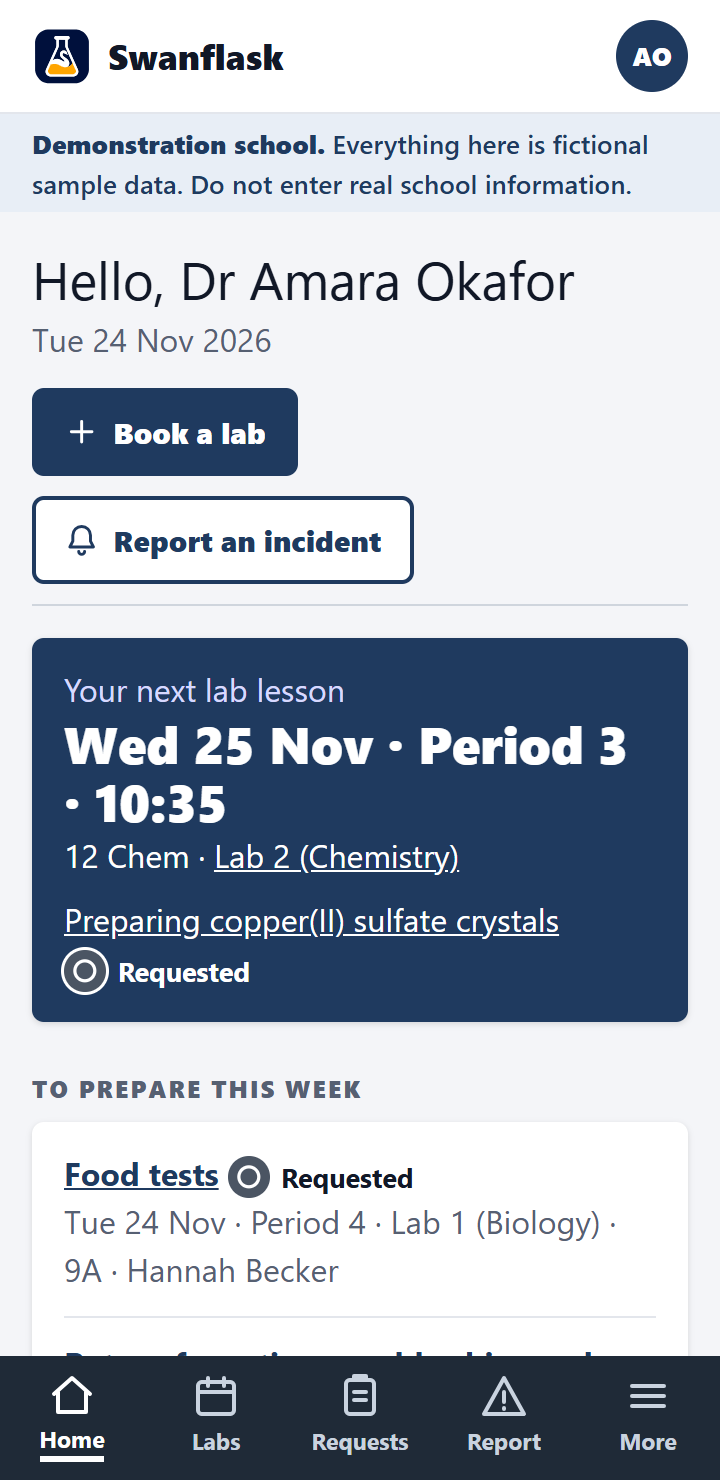
Who it is for
Made for the people who run the labs
Swanflask is for secondary school science departments. It also works for anyone who looks after a maker space or a robotics lab.
- Teachers ask for equipment and chemicals in one request, and see when the items are out.
- Technicians get one preparation list for each day, built from those requests.
- Heads of Science see what is waiting for approval and what is overdue, and can print a termly safety summary.
- STEAM, maker and robotics teachers keep tools, components and kits in the same stock list, with quantities and places, and report equipment faults.
It works on a phone or a laptop.
Teaching STEAM, maker or robotics? Apply for a founding teacher place.
What it does
From the booking to the lesson, step by step
Follow one practical, an acid-base titration, through Swanflask. The screens show a demonstration school with made-up data.
-
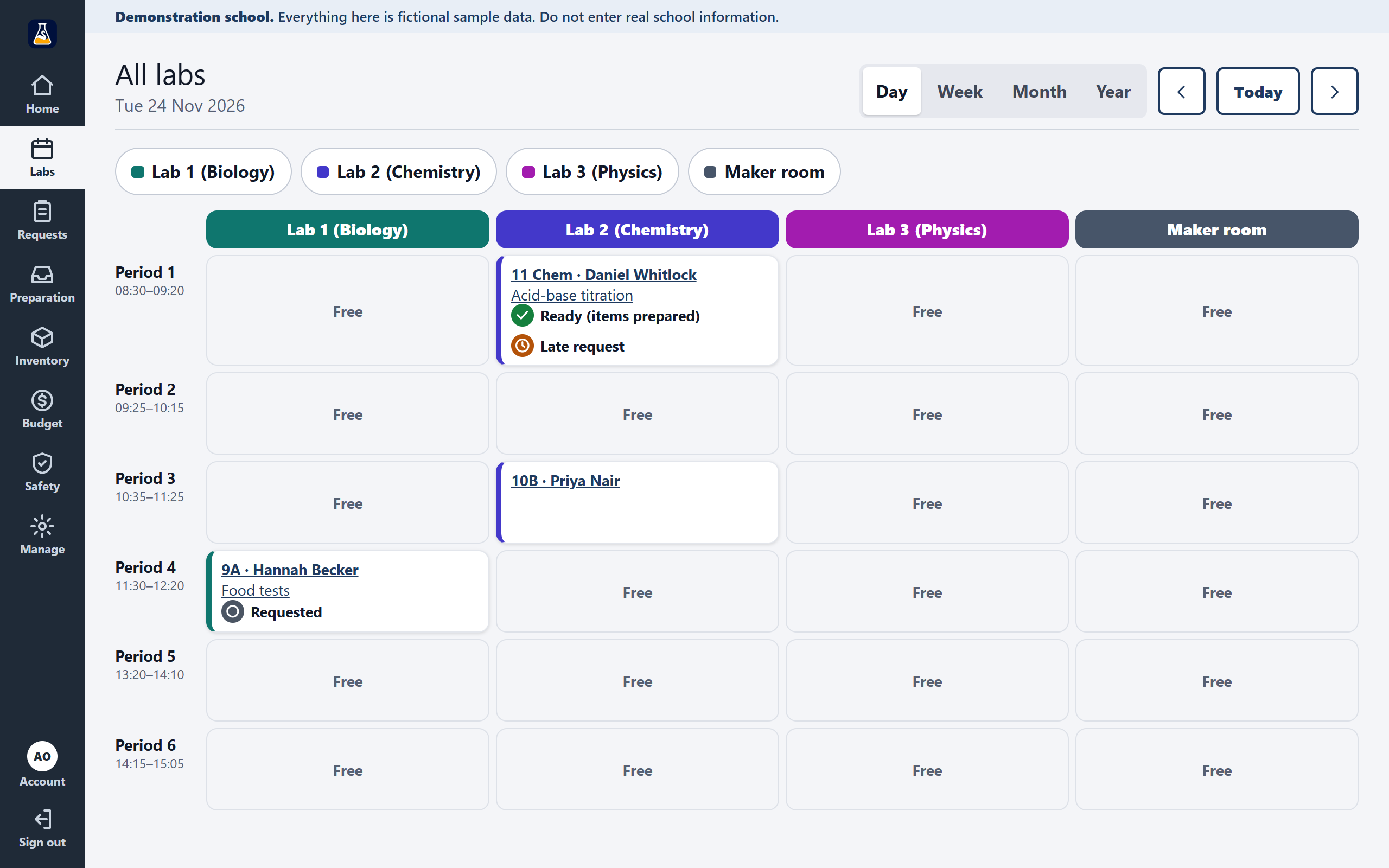
Step 1: Book the lab
School plan
See every lab's calendar and book by date, period and class.
- Book once or every week.
- A double booking is refused, even if two people press Save together.
- Look at a day, a week, a month or a year.
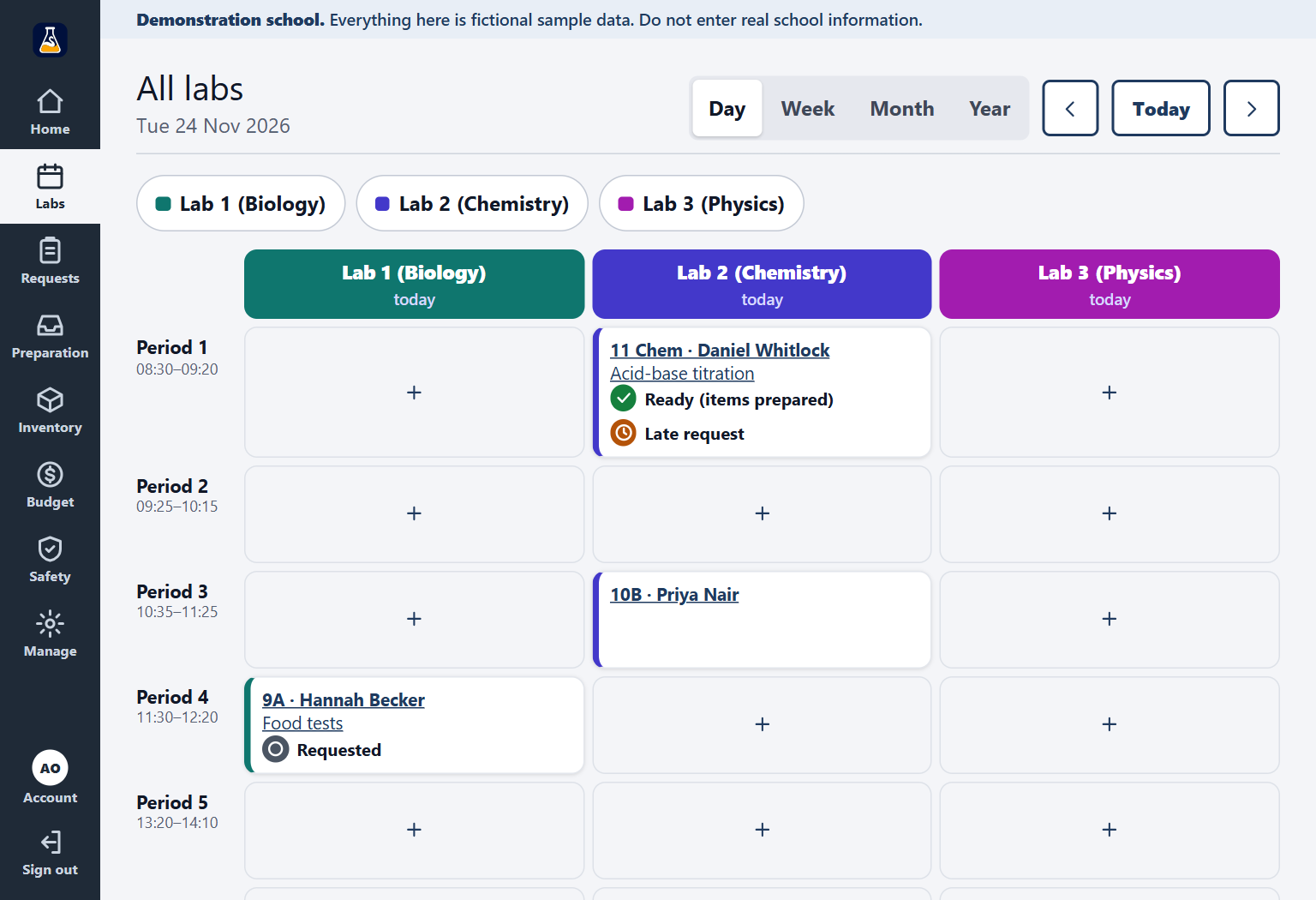
Every lab's bookings for one day. -
Step 2: Ask for the practical
Every plan
Ask for equipment and chemicals from the stock list, in one request.
- The request holds the class, the lab, the date and the number of groups.
- Each request shows when the items are out.
- A late request is marked as late.
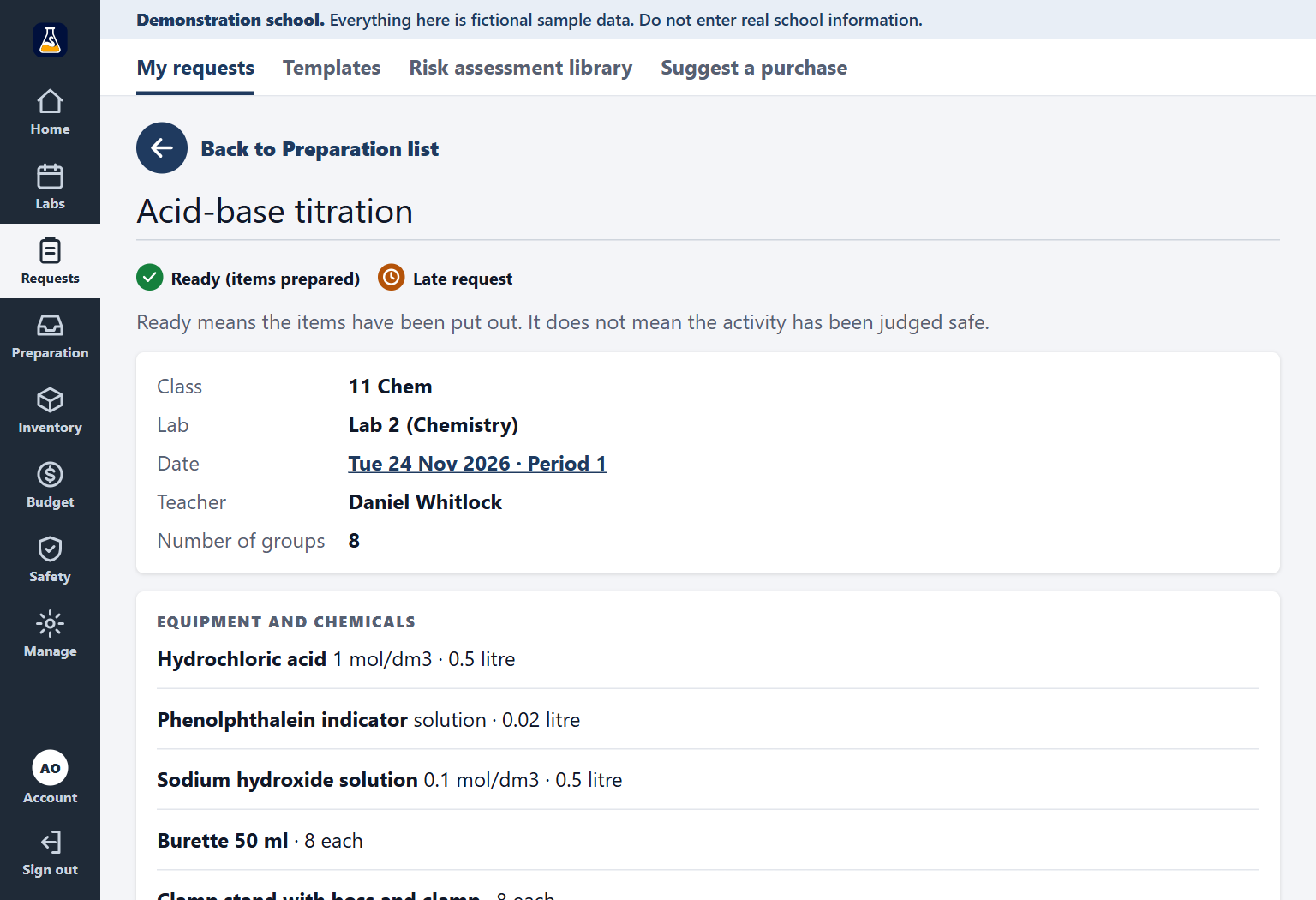
One request for one lesson. -
Step 3: Confirm the risk assessment
Every plan
Write each one yourself, confirm it for a class and a date, and print it.
- Each confirmation carries a name and a date.
- Change the chemicals and it goes back to draft.
- Earlier versions are kept.
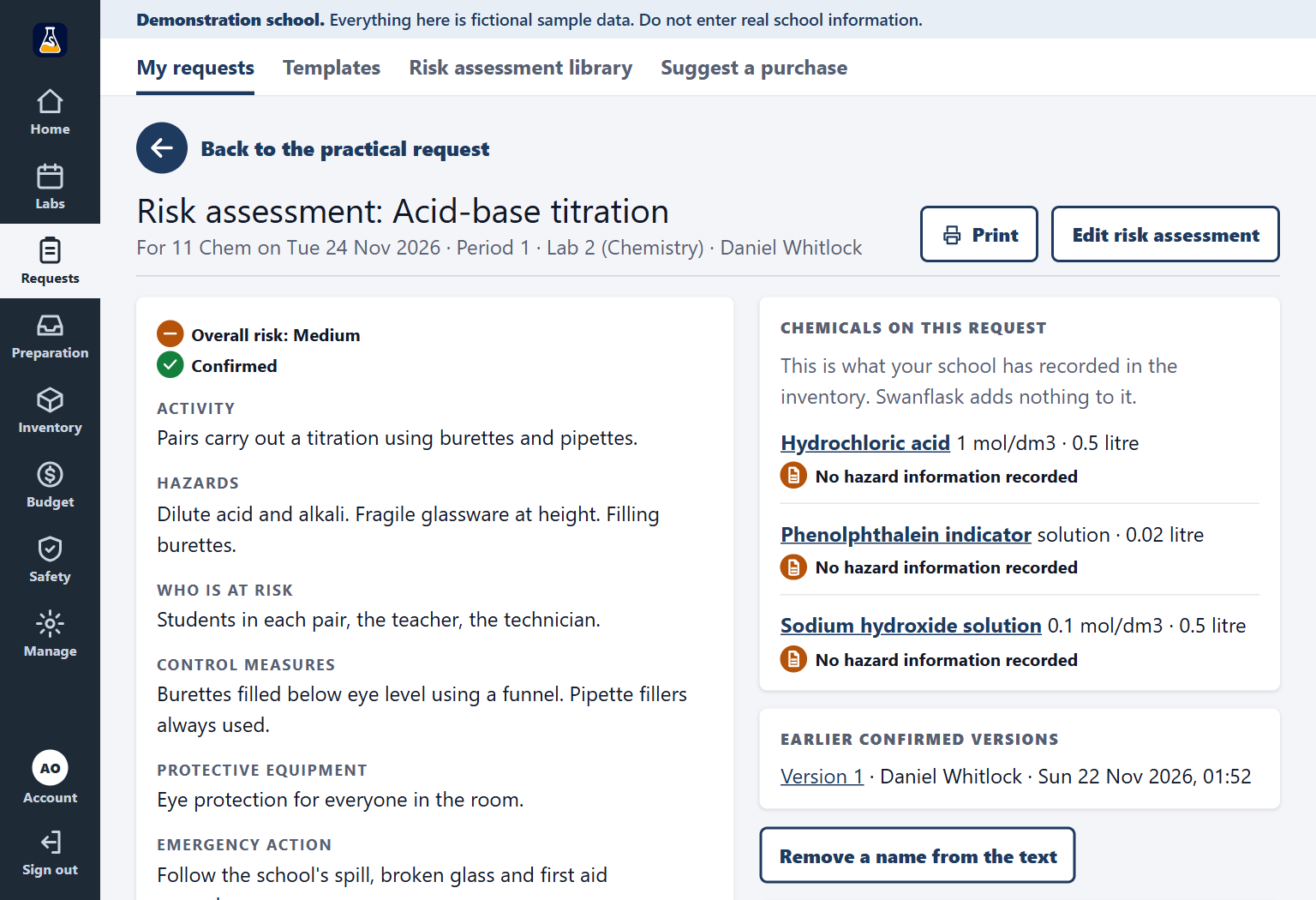
The wording on this screen is a placeholder. Your school writes its own. -
Step 4: Prepare it
Every plan
A preparation list by day shows what to set out for each lesson.
- Quantities, and where each item is kept.
- Open faults and safety check problems for that lab appear on the list.
- Print the list for the prep room.
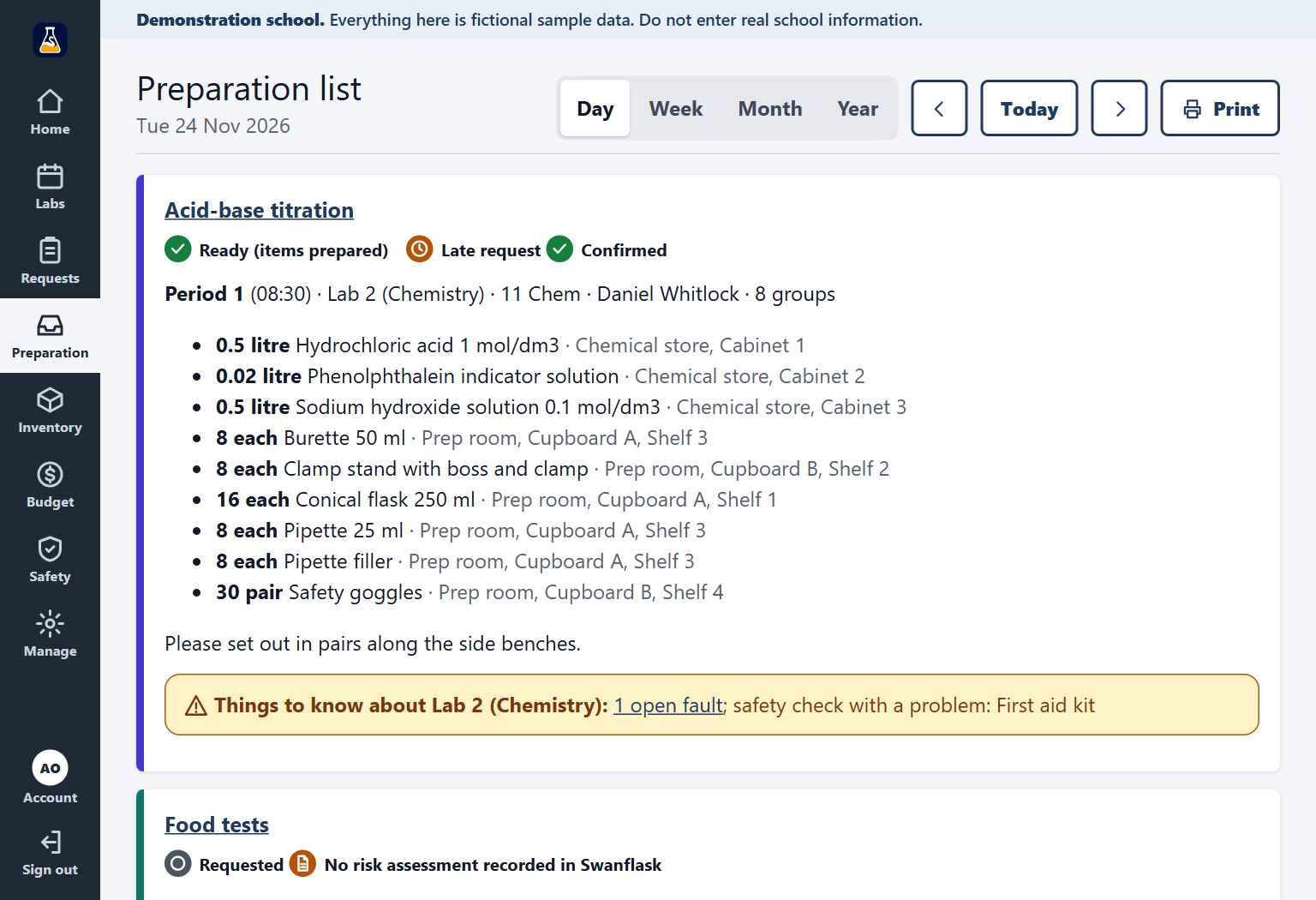
What to set out, lesson by lesson. -
Step 5: Record what happened
Every plan
Report an incident or near miss on one screen.
- Report a fault, with an optional photo.
- Each report shows whether it is still open.
- Open reports are counted on the home screen.
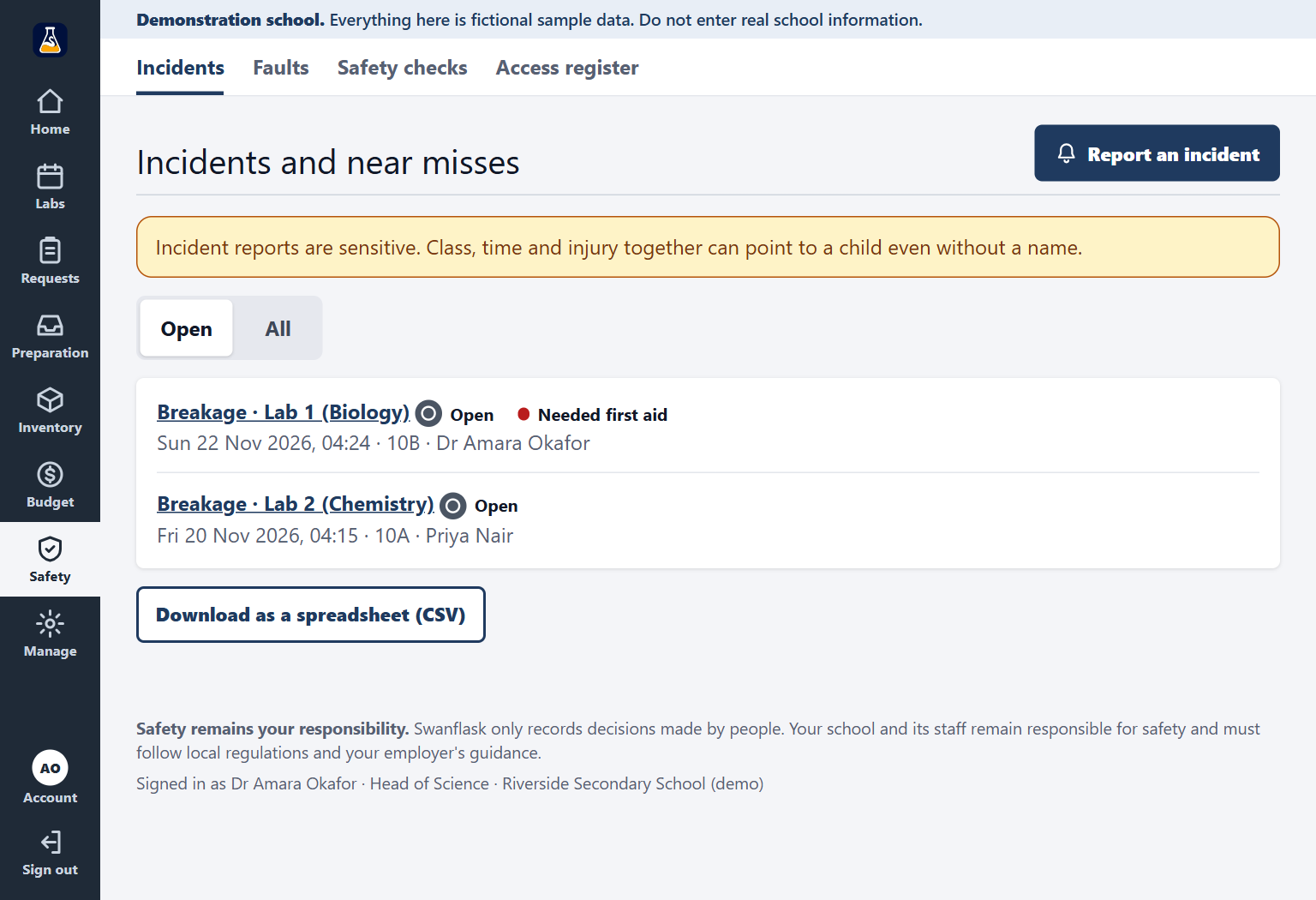
Open reports stay in view.
Also in Swanflask
The home screen shows what needs attention this week: practicals with no confirmed risk assessment, overdue safety checks, stock alerts and late requests.
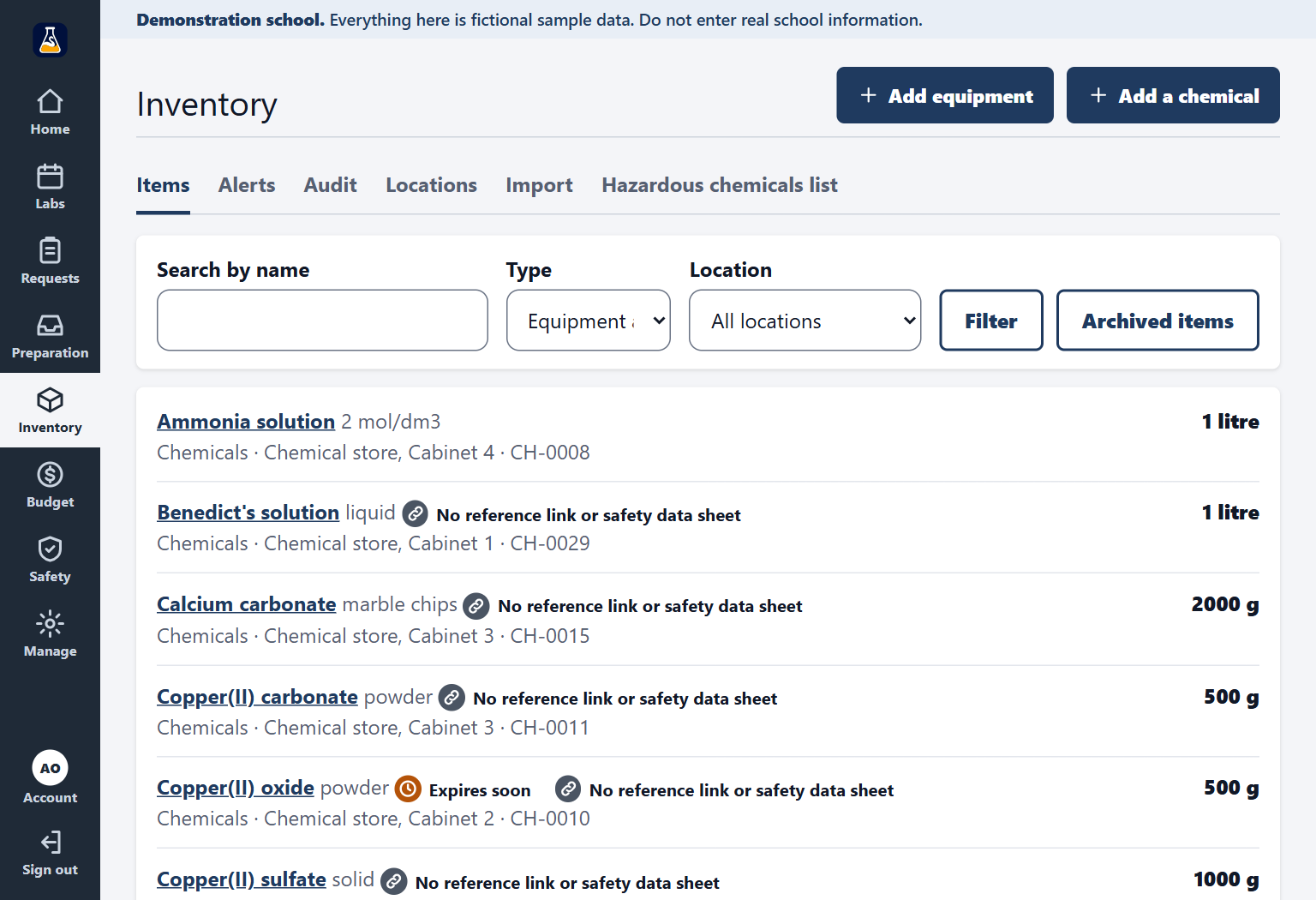
Stock: chemicals, equipment and tools
Every plan
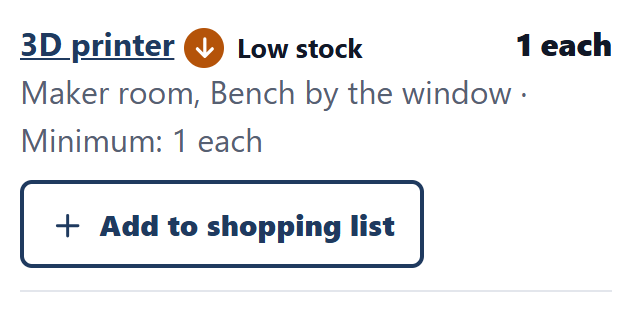
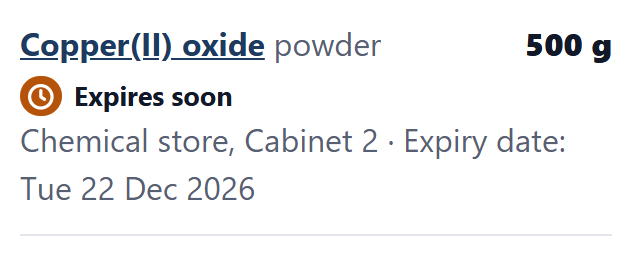
Quantities and places for chemicals, equipment and tools, with expiry dates and data sheets for chemicals. Change stock in two taps, with a log of who and when. On Teacher Pro and School, bring your current spreadsheet with you as a CSV file.
Access and safety checks
School plan
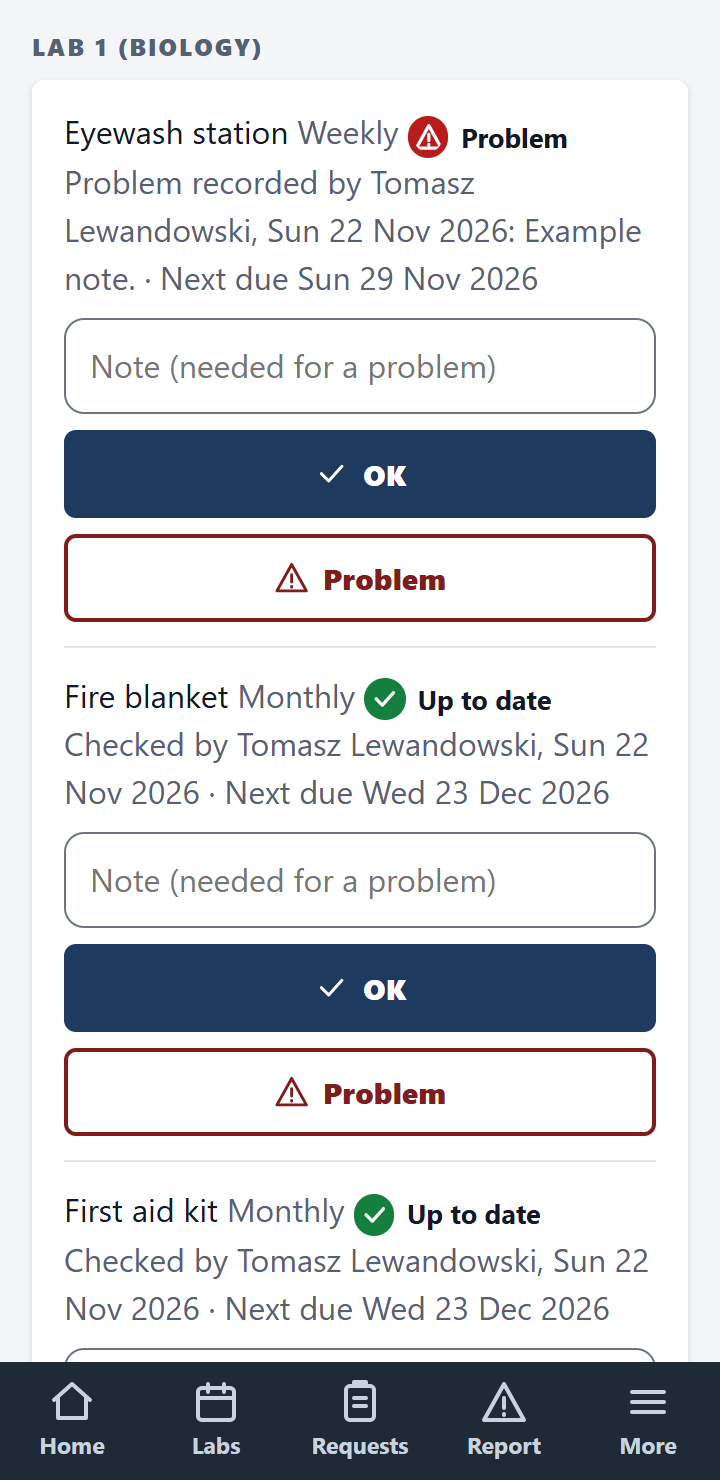
Record who may enter labs and stores, and who holds keys. Write your school's own list of safety checks and tick them off. Print a termly safety summary for the principal.
Department budget
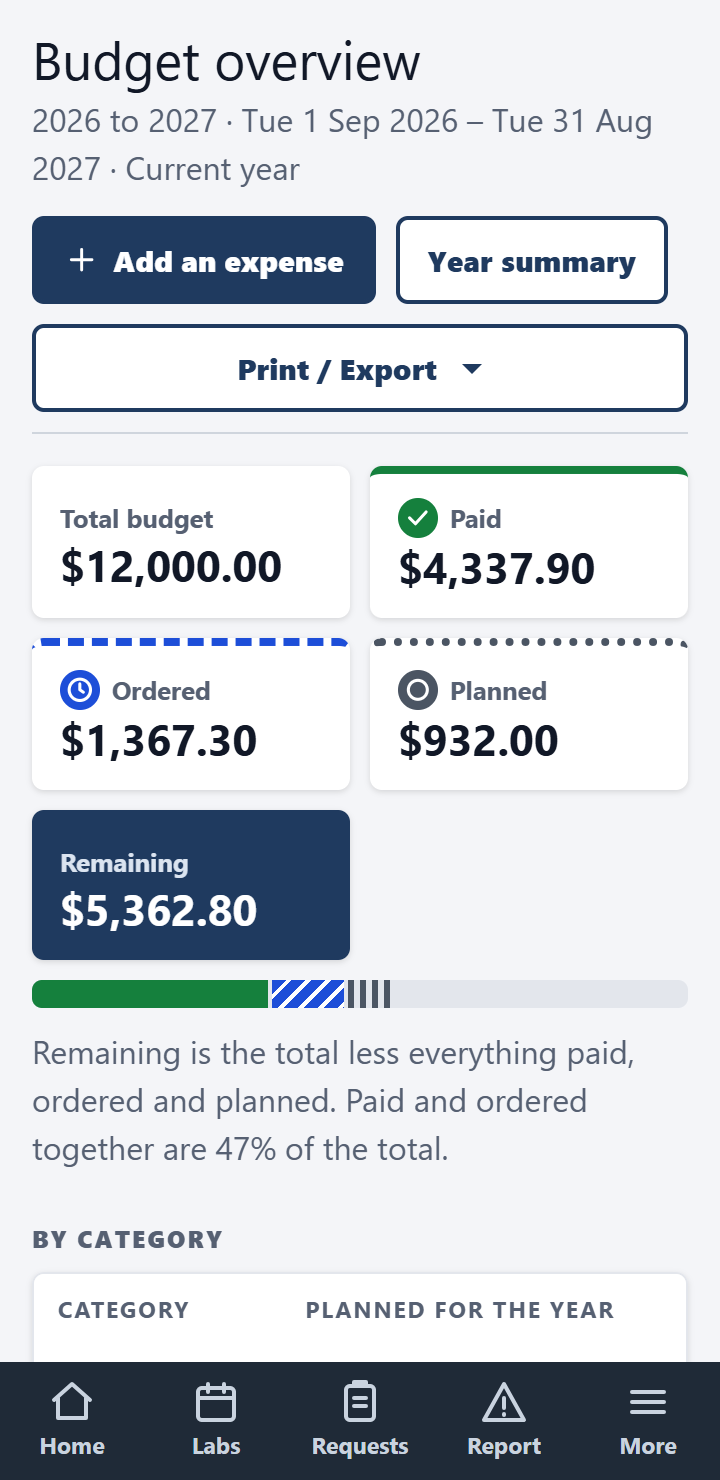
Built, in testing
Know what is left before you order. Set the department budget, record each purchase and see what remains. The tracker is built and is being tested before it opens. A budget report for the principal, covering the budget year, is built too. Founding schools and teachers will use it first.
Founding places
Be one of the first
Swanflask is in an early pilot, and I can only look after a few people at a time. These are the first places. I choose them from the waiting list and from school enquiries. The pilot starts in a demonstration school with made-up data, open to invited people for now. Your own workspace follows when the service opens in your country.
Founding schools
5 places
- An invitation to try the demonstration school
- Your own workspace when the service opens in your country, free for the first year
- Then US$199 a year per campus, kept for as long as you stay
- Set up by me personally, with a direct line to me
- I ask for your opinion before I decide what to build next
- First to use the budget tracker when testing opens
- In return, a short conversation with me each term
Founding teachers
25 places
- An invitation to try the demonstration school
- Teacher Pro in your own workspace when the service opens in your country, free for the first year
- Then US$29 a year, kept for as long as you stay
- A direct line to me by email
- I ask for your opinion before I decide what to build next
- First to use the budget tracker when testing opens
- In return, a short conversation with me each term
The standard price for Teacher Pro is planned at US$49 a year and may change. For School, ask for a quote. Your free year starts on the day your workspace is set up.
How it treats safety
Every confirmation has a name and a date.
Swanflask records the safety decisions your staff make. It never makes them.
A record your school can show. Each confirmation and approval carries a name and a date. Earlier versions of a risk assessment are kept, and safety records are archived, not deleted. When someone asks who confirmed a risk assessment, and when, the answer is already written down.
People decide, every time. Every hazard, control measure and risk level is typed or chosen by a person. No safety advice is written by AI, and nothing is approved automatically. Where your school asks for approval, a Head of Science presses the button.
Words that mean only what they say. "Ready" on a preparation list means the items are out, and nothing more. Every page reminds staff that safety stays their responsibility.
No student accounts and no student records.
For Heads of Science
Show the principal what your department did this term.
-
Safety summary
School plan
Print a termly safety summary, on one page. Every figure is a count of what staff recorded: practicals, risk assessments confirmed and approved, incidents and near misses, safety checks and faults.
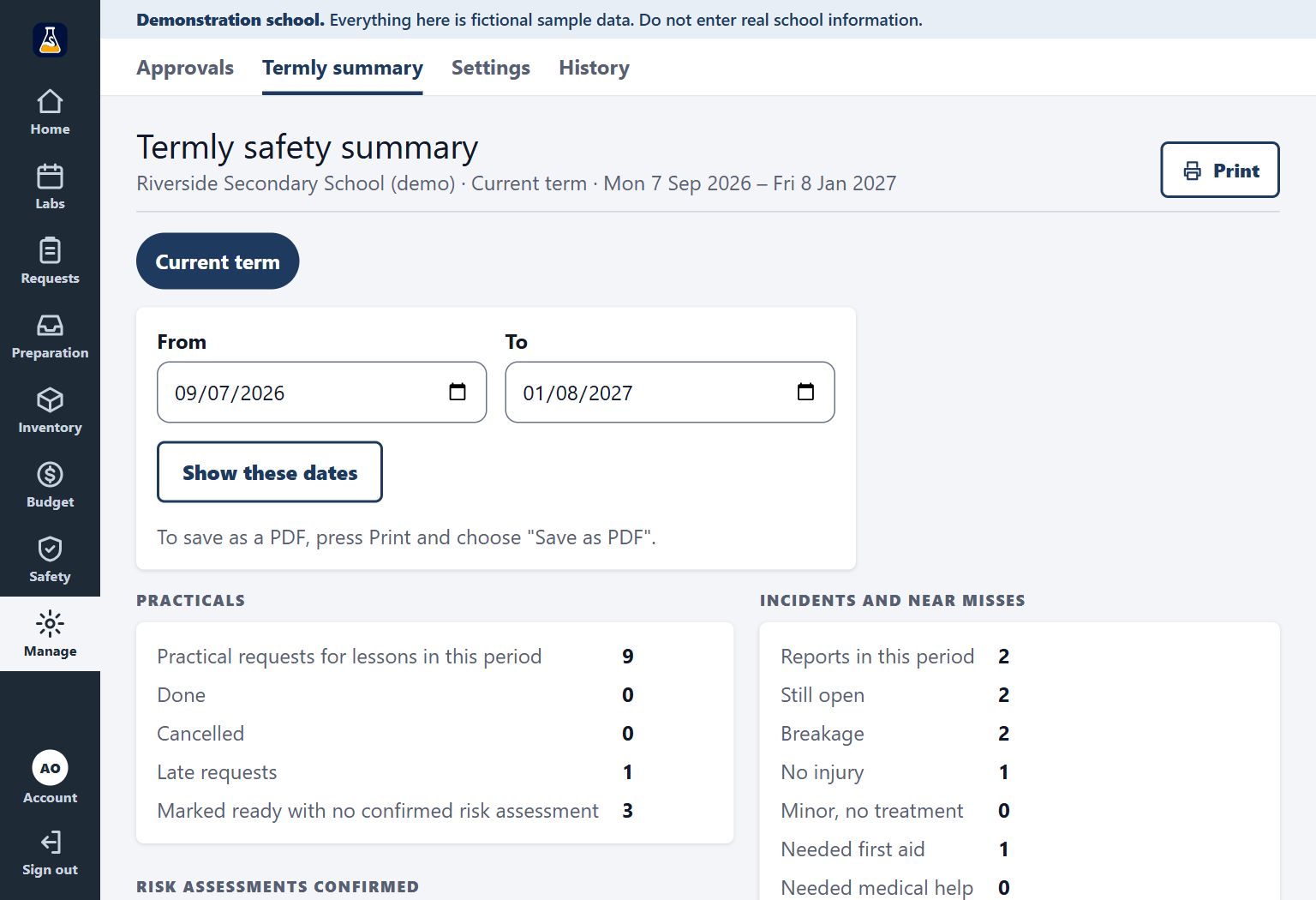
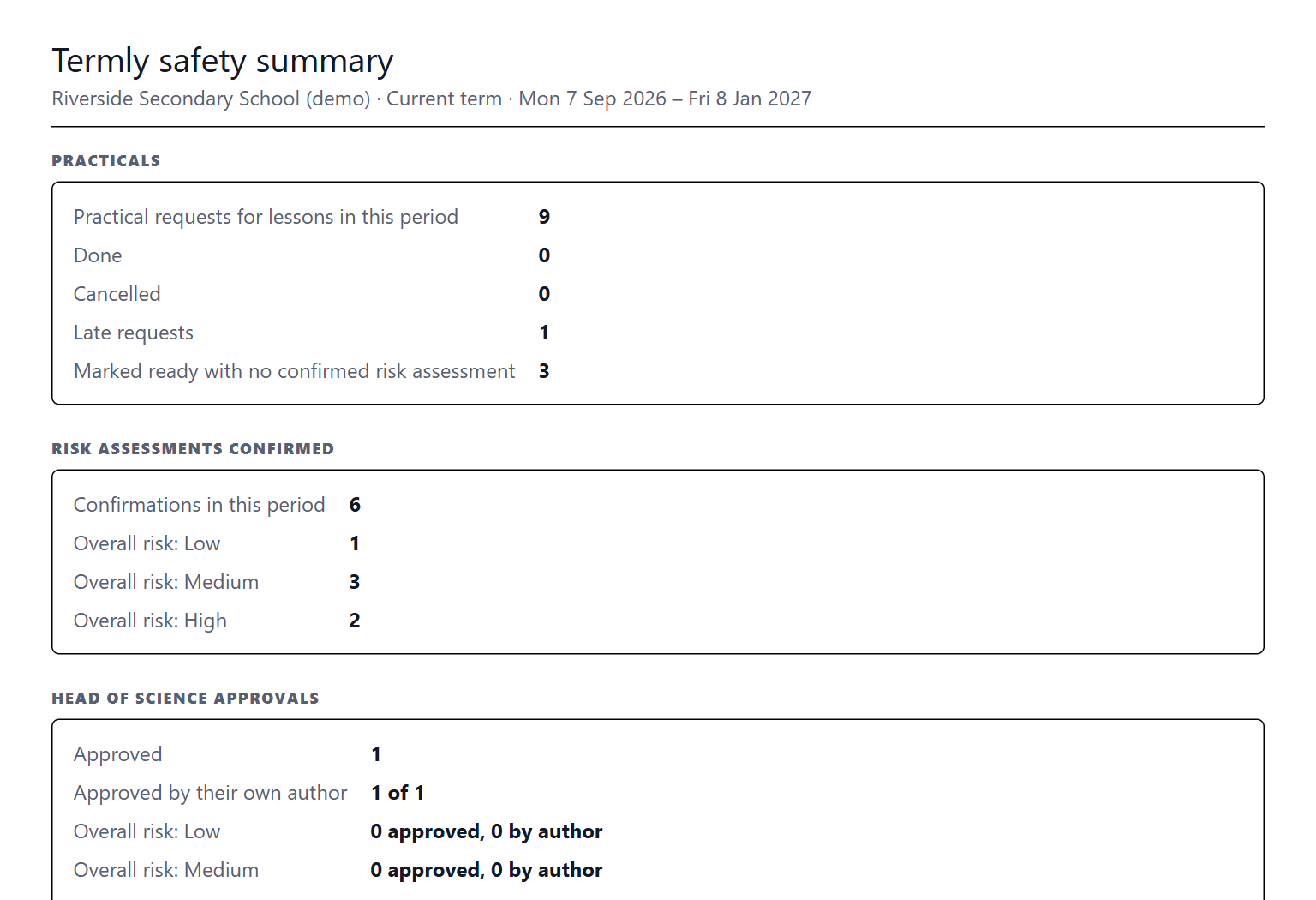
The termly safety summary, in the app and as it prints. Select the pictures to switch between them. -
Budget report
Built, in testing
The same idea for the department's money, on one page. Built and in testing, with founders first.
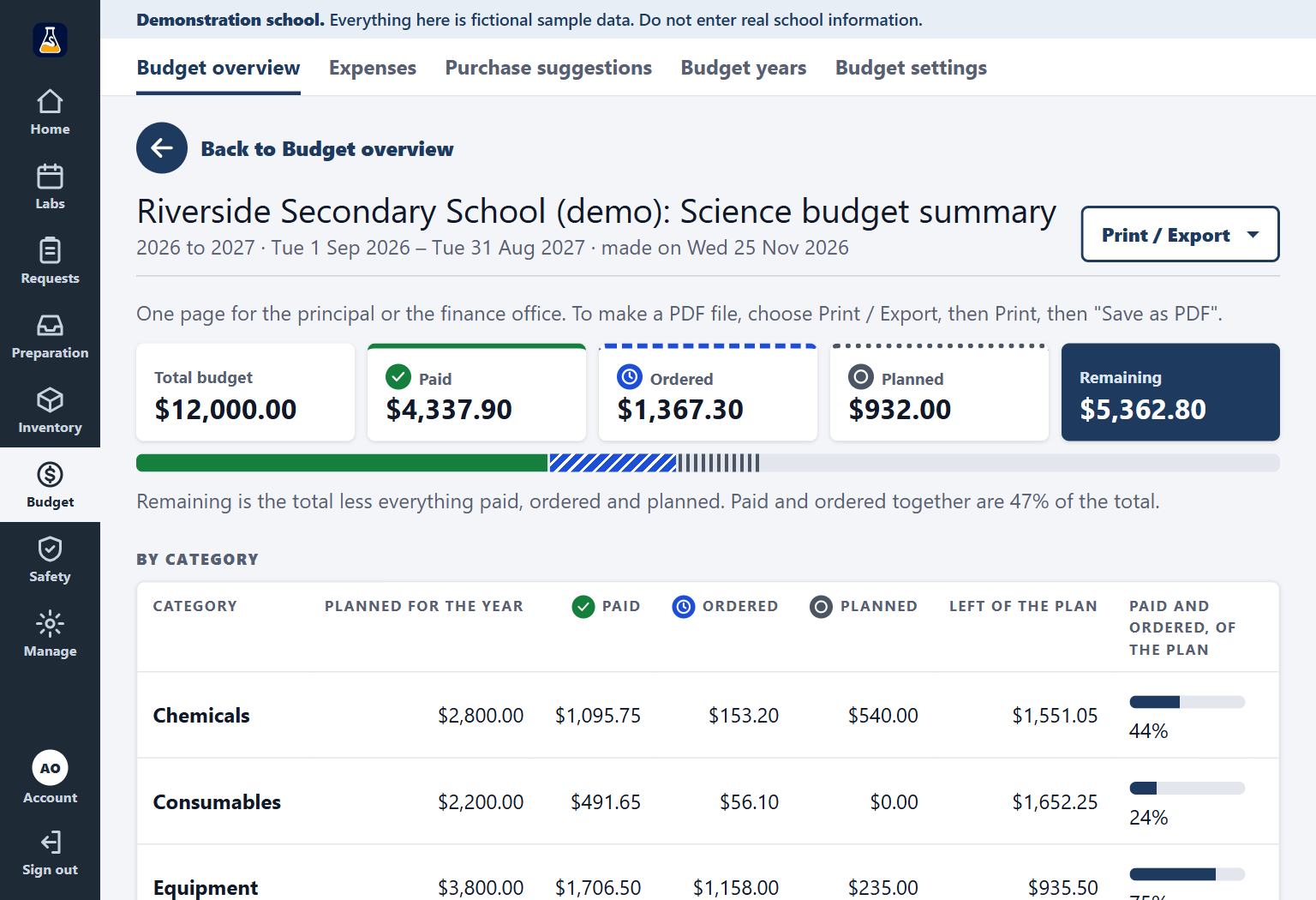
The budget summary for a budget year: total, paid, ordered, planned and remaining, then the same by category.
Plans and prices
Three plans, from free
Swanflask is free during the pilot. The Teacher Pro price is planned and may change. For School, ask for a quote. Founding schools and founding teachers pay nothing for their first year, and you will see a price before you commit to anything.
Swipe or scroll sideways to see every plan.The School plan is shown first. Swipe or scroll sideways for the teacher plans.
| What is compared | Teacher BasicFreefor one teacherThe basics, plus up to 100 stock items.Join the waiting list for Teacher Basic | Teacher ProUS$49 a yearPlanned price. Free during the pilot.The basics, plus unlimited stock and spreadsheets. Budget tracker in testing.Join the waiting list for Teacher Pro | SchoolAsk for a quoteper school. Free first year for founding schools.The Pro tools, plus lab booking, a team and safety records.Ask for a quote for School | |
|---|---|---|---|---|
| The basics, in every plan | Practicals and preparation list | Included | Included | Included |
| Risk assessments and templates | Included | Included | Included | |
| Incident and fault reports | Included | Included | Included | |
| Record hazard details for each chemical | Included | Included | Included | |
| Printing and saving pages as PDF | Included | Included | Included | |
| Stock | Stock list size | Up to 100 items | Unlimited | Unlimited |
| Optional hazard lookup | Not included | Included | Included | |
| Stock import from CSV | Not included | Included | Included | |
| Spreadsheet and CSV downloads | Not included | Included | Included | |
| Stock audit mode | Not included | Included | Included | |
| Planning | Saved practical templates | Not included | Included | Included |
| Budget tracker | Not included | In testing | In testing | |
| Team | Lab booking and calendars | Not included | Not included | Included |
| Several people and roles | Not included | Not included | Included | |
| Risk assessment approval | Not included | Not included | Included | |
| Safety | Access register, inductions | Not included | Not included | Included |
| Safety check schedule | Not included | Not included | Included | |
| Termly safety summary | Not included | Not included | Included | |
- Optional hazard lookup
- Shows a regulator's published classification for a chemical. A person checks it and ticks what they accept.
- Stock audit mode
- Check one storage place at a time against what the stock list says.
- Access register, inductions
- Who may enter labs and stores, who holds keys, and whose safety induction is recorded.
Founding places are open
Swanflask is in an early pilot. Founding places are open for 5 schools and 25 teachers. Tell me about your labs and I will reply by email. If the form does not open for you, email hello@swanflask.com.
Apply for a founding school place One teacher? Apply for a founding teacher place.